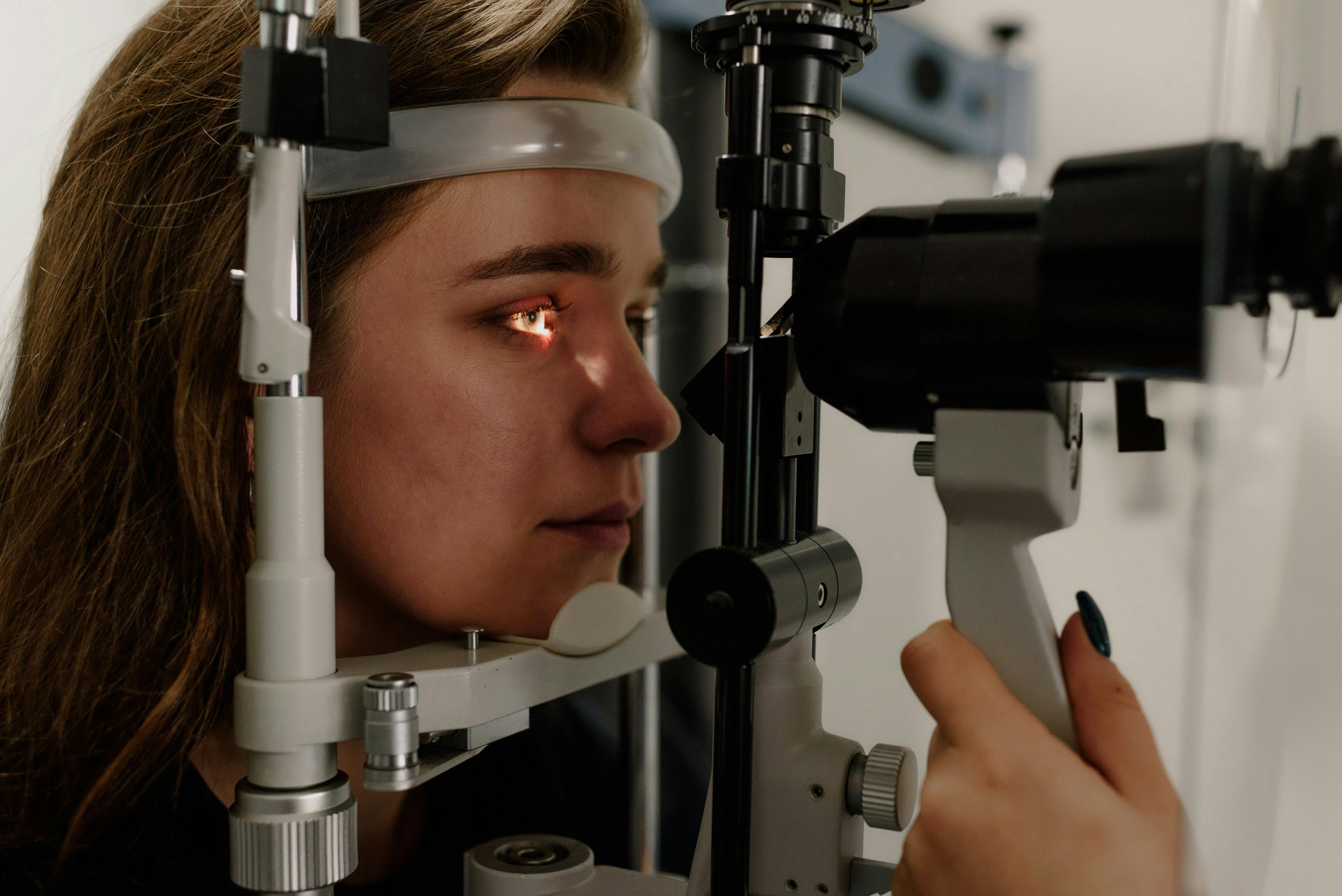
If you spend hours daily looking at screens, you have probably experienced the symptoms. Dry eyes, blurred vision, headaches that build through the day, neck and shoulder tension, and that specific kind of eye fatigue that makes you want to close your eyes and stop reading. These are not random problems. They have a name and specific causes, and most of them have practical solutions.
Digital eye strain, also called computer vision syndrome, affects an estimated 50 to 90 percent of people who regularly use screens. As screens have become inescapable in modern life for work, entertainment, and basic daily tasks, the condition has moved from an occupational issue to a near universal health concern.
This guide explains what causes digital eye strain, how to recognize its symptoms, and what actually helps. Some popular remedies are more marketing than medicine, while other simple changes produce dramatic relief.
What Digital Eye Strain Actually Is
Digital eye strain is a cluster of symptoms that develop during and after prolonged screen use. It is not a disease but rather a collection of responses to the particular demands screens place on the visual system and surrounding muscles.
The visual system evolved for looking at objects at varying distances in natural lighting. Modern screen use requires sustained focus at a single close distance, often for hours at a time, while blinking less than normal.
The eye muscles that control focus fatigue from holding the same position. The muscles that move the eyes tire from not moving. The tear film dries out from reduced blinking. The surrounding neck and shoulder muscles cramp from static postures. These factors combine to create the constellation of symptoms people describe.
Digital eye strain is not permanent and does not damage the eyes structurally in most cases. Long term screen use has not been shown to cause vision loss or serious eye disease. What it does cause is significant daily discomfort and reduced productivity that accumulates across years.
The Common Symptoms
Symptoms of digital eye strain fall into several categories.
Visual symptoms include blurred vision both during and after screen use, difficulty shifting focus between near and far objects, double vision in some cases, and sensitivity to light.
Ocular symptoms include dry eyes, itchy eyes, burning sensations, and redness. Contact lens wearers often notice these symptoms more severely.
Related symptoms include headaches that build through the day, neck and shoulder pain, back pain from poor posture, and general mental fatigue.
Symptoms typically worsen as the day progresses and improve with rest from screens. They often recur the following day with more screen time.
The severity varies based on individual factors, screen use patterns, environmental conditions, and underlying vision issues.
The Causes You Can Actually Fix
Several specific factors contribute to digital eye strain, and understanding them reveals the solutions.
Reduced blinking is a major factor. Normal blinking happens roughly 15 to 20 times per minute. During concentrated screen use, blinking drops to three to eight times per minute. Each blink spreads tear film across the eye surface. Reduced blinking leads directly to dry, irritated eyes.
Close focus for extended periods exhausts the ciliary muscles that focus the lens. These muscles are not meant to hold contracted positions for hours at a time.
Convergence demands are similar. The eyes must angle inward slightly to fuse the image from both eyes into one. Sustained convergence fatigues these muscles.
Poor lighting contributes significantly. Screen glare from overhead lights, windows, or reflections forces the eyes to work harder. Dim environments where the screen is much brighter than surroundings also strain the eyes.
Screen position matters. Screens positioned too close, too high, or too low create unnatural angles that strain eyes and neck together.
Screen quality affects comfort. Low refresh rate displays create subtle flicker. Low resolution displays reduce text clarity. Reflective screens add glare.
Uncorrected vision problems amplify symptoms. Even small refractive errors that did not cause problems before screens become noticeable with extended digital work.
The 20 20 20 Rule
The most evidence based intervention for digital eye strain is the 20 20 20 rule. Every 20 minutes, look at something 20 feet away for at least 20 seconds.
This simple practice addresses several of the root causes simultaneously. Looking at distant objects relaxes the focus muscles. Shifting gaze moves the eye muscles. The brief break interrupts the sustained close focus that causes the problem.
In practice, this means setting a timer or using software that reminds you to take breaks. Apps like Time Out for Mac, WorkRave, or EyeLeo provide break reminders automatically.
Use the break for actual distance viewing. Looking out a window at trees, buildings, or sky across a parking lot works well. Looking at the opposite wall of your office works if you cannot see outside.
The 20 seconds is a minimum. Longer breaks produce more relief. If you can extend to a full minute periodically, do it.
Optimizing Your Screen Setup
Screen positioning affects both eye strain and posture related symptoms.
Position your screen at arm length away, roughly 20 to 30 inches from your eyes. Closer distances increase focus demand and strain.
The top of the screen should be at or slightly below eye level. This creates a slight downward gaze of 15 to 20 degrees, which is more comfortable for extended viewing than a straight ahead or upward gaze.
Tilt the screen slightly back so you are looking at it perpendicularly rather than at an angle.
Use multiple monitors at similar distances if you have them. Having screens at very different distances requires frequent refocusing.
Adjust screen brightness to match ambient lighting. A bright screen in a dim room strains eyes. A dim screen in bright lighting makes content hard to read.
Increase text size to a comfortable reading level. Straining to read small text adds unnecessary visual work.
Use dark mode in applications that offer it, particularly in low light environments. The reduced brightness reduces strain for many people.
Lighting That Helps or Hurts
Lighting is often overlooked but significantly affects eye comfort during screen use.
Avoid glare on your screen. Position the screen so overhead lights do not reflect in it. Close blinds or use shades if windows create reflections.
Overall ambient lighting should be moderate rather than extreme. Working in darkness with only screen light strains eyes. Working in bright direct sunlight creates difficulty reading the screen.
Task lighting on paperwork near the screen should be comparable in brightness to the screen itself.
Avoid bright lights directly in your field of view behind or beside the screen. These compete with screen content for attention.
Natural light is better than fluorescent when possible, but positioning matters. Direct sunlight on the screen causes problems.
Anti glare screen filters or anti reflective coatings on screens reduce some glare issues.
The Blue Light Question
Blue light glasses and blue light blocking software have become popular, marketed as solutions to digital eye strain. The research is more nuanced than the marketing.
Blue light from screens is not causing the symptoms of digital eye strain in most people. The major causes are reduced blinking, sustained focus, and poor ergonomics, not the specific wavelengths emitted.
A 2021 review in the American Journal of Ophthalmology concluded that blue light blocking lenses did not significantly reduce digital eye strain symptoms compared to regular lenses. Other studies have reached similar conclusions.
However, blue light exposure in the evening does affect melatonin production and sleep. For evening screen use, reducing blue light through software or glasses may help sleep quality even if it does not directly help eye strain.
Do not expect blue light glasses to solve digital eye strain. They may help sleep if worn in the evening. They do not address the underlying causes of the symptoms.
Artificial Tears and Dry Eye Management
Dry eyes are a major component of digital eye strain and respond well to treatment.
Artificial tears used proactively rather than reactively help most. Apply drops before starting long screen sessions and every two to three hours during use. Waiting until eyes feel dry means you are already behind.
Preservative free drops are better for frequent use. Preservatives in regular drops can irritate with heavy use.
Gel drops provide longer lasting lubrication than thin watery drops, useful for heavy screen users. They blur vision briefly so use them during breaks.
Punctal plugs are tiny inserts that a doctor places in tear ducts to keep tears in the eye longer. Used for chronic dry eye, they can help people with severe screen related symptoms.
Omega 3 supplements have evidence for improving tear quality. Daily supplementation with 1000 to 2000 mg of combined EPA and DHA helps many people with chronic dry eye.
Humidifiers in dry indoor environments, particularly in winter or air conditioned spaces, reduce tear evaporation.
Blinking and Exercises
Conscious blinking helps counteract the automatic reduction in blinking during screen use.
Full blinks rather than partial blinks are important. Many people partial blink during screen use, only partially closing the eyelids and failing to spread tear film properly.
Periodic conscious blink sequences of 10 slow full blinks once or twice per hour restores tear film and gives the eyes a brief rest.
Eye exercises to strengthen focus flexibility can help. The pencil pushup exercise involves holding a pencil at arm length, focusing on a letter on it, and slowly moving it closer while maintaining focus. Repeat 10 times several times daily.
Palming involves rubbing hands together to warm them, then cupping the warm palms over closed eyes for a minute or two. This provides rest and warmth that soothes tired eyes.
Near far focusing exercises have you alternate focus between something close and something distant, improving the flexibility of focus muscles.
When Glasses or Contacts Need Updating
Uncorrected vision problems make digital eye strain worse. If symptoms persist despite ergonomic improvements and other strategies, eye examination is worth scheduling.
Even small refractive errors that did not cause problems in the past become significant with extended close work. The vision that was fine for occasional reading becomes inadequate for hours of screen use daily.
Specific prescription glasses for computer use correct for the distance you actually use, rather than the infinity focus of regular glasses. Some people benefit from computer specific glasses even if they do not need correction for other activities.
Progressive lenses in regular glasses sometimes cause problems for computer use because they are optimized for reading at book distance, not screen distance. Dedicated computer glasses correct this.
Contact lens wearers often experience worse digital eye strain due to reduced blinking during contact wear. Alternative lens types or supplemental glasses for intensive computer work sometimes help.
Annual eye exams are worthwhile regardless of whether you think your vision has changed. Small changes add up, and early detection of other eye conditions matters.
Lifestyle Factors
Beyond screen time itself, several habits affect eye comfort.
Adequate sleep supports eye health. Tired eyes feel worse during screen use.
Staying hydrated benefits the tear film and general eye comfort.
Limiting evening screen use helps both sleep and next day eye fatigue. The screens right before bed often cause sleep problems that translate to worse next day eye symptoms.
Getting outside regularly gives eyes natural breaks. Time outdoors has been associated with better eye health generally.
Managing overall stress affects eye tension along with many other body systems.
When to See an Eye Care Professional
Some situations warrant professional evaluation beyond self management.
Persistent symptoms despite adequate self care strategies need assessment.
Sudden onset of severe symptoms requires prompt evaluation to rule out other conditions.
Vision changes that come with the eye strain symptoms should be evaluated.
Severe pain, significant vision loss, or persistent headaches need urgent attention.
Two year gaps without eye examination are too long for anyone, especially heavy screen users.
Building Sustainable Screen Habits
The best approach to digital eye strain is preventive habits built into daily work.
Start work sessions with good ergonomics already set up. Make the default position comfortable.
Use break software or timers to enforce the 20 20 20 rule. Do not rely on memory or self discipline alone.
Keep artificial tears at your desk and use them proactively.
Take actual breaks away from screens at lunch and between major tasks. Even 15 minutes outside resets the visual system significantly.
Limit recreational screen time in the evenings. Reading physical books, exercising, cooking, and socializing all rest the eyes.
Get consistent sleep with reduced screen time in the hour before bed.
Screen use is not going away. The work and life of the modern world depends on them. Learning to use screens sustainably rather than accepting eye strain as inevitable allows productive engagement without the cost of daily discomfort. The strategies work when applied consistently. The choice is whether to implement them or continue suffering the predictable consequences of heavy screen use without adequate protection.
Sources and Further Reading
Health and Beyond uses reputable medical and scientific sources where possible. These links support or expand on the topics discussed above.
- National Eye Institute: Eye Healthnei.nih.gov
- MedlinePlus: Eyes and Visionmedlineplus.gov